1. Record purchases with their receipts
Upload or forward a receipt, review the extracted details, and save the expense with a category. Keep the supporting document connected to the record for later review.
Expense tracking for small businesses and teams
Nomad connects expense records, receipt capture, categories, and approvals in one workspace. Keep everyday purchases organized and give your team a clearer path from a submitted expense to a reviewed report.
No credit card required. Trial includes 2 seats and 50 total OCR scans.
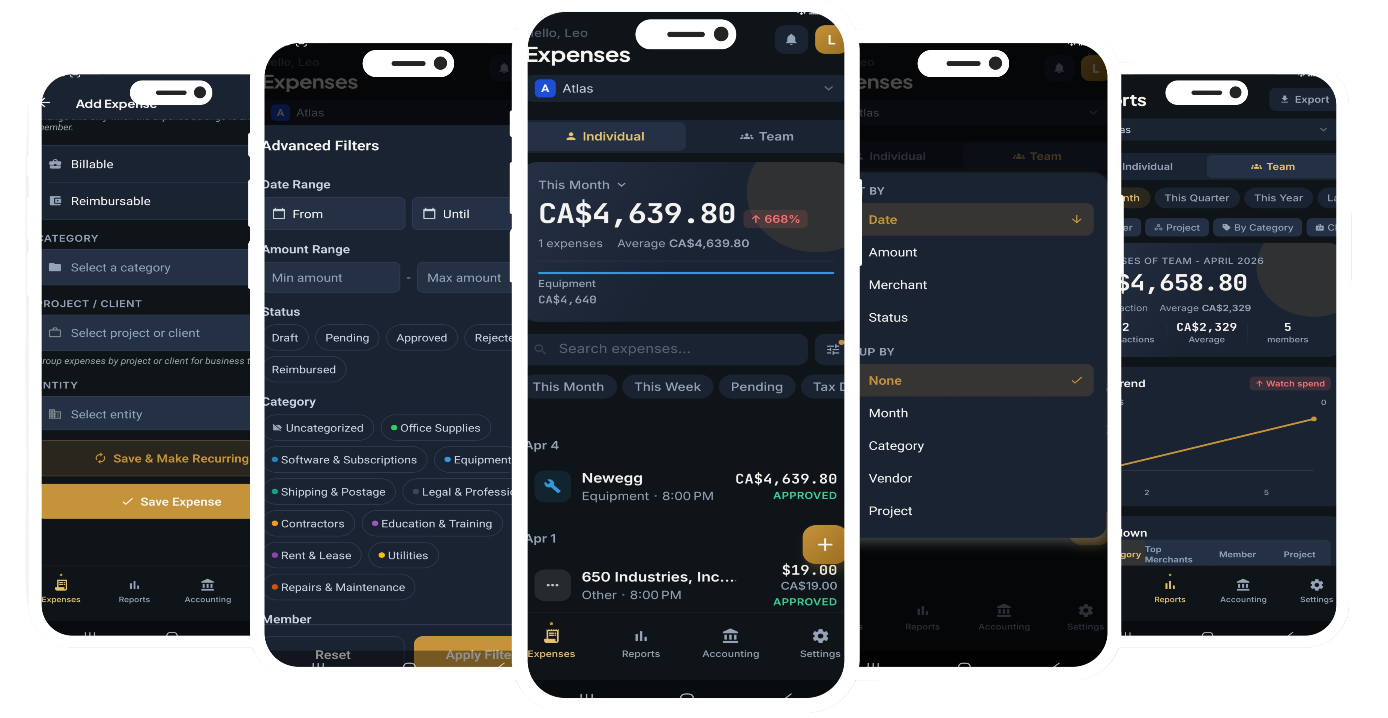
An expense tracker records what was spent, when, by whom, and for what purpose. For a small business, the record is more useful when it includes the receipt, category, currency, and review status. Nomad keeps that context together so you can work with the numbers instead of rebuilding them from a spreadsheet and a folder of images.
Upload or forward a receipt, review the extracted details, and save the expense with a category. Keep the supporting document connected to the record for later review.
Use workspace roles and approval workflows to give expenses a clear review path. Keep approval status separate from whether a bill has been paid or an employee still needs reimbursement.
Review spending by category, project, or period. For foreign-currency purchases, check the original amount and the converted home-currency value before relying on report totals. Export data to CSV or Excel.
Prepare recurring-expense templates for subscriptions, rent, and regular suppliers. Review the generated drafts and attach the matching receipt when it arrives.
Keep personal and business records, or different business activities, in the appropriate workspace. Workspace limits and team features depend on the plan you choose.
Review categories and supporting receipts throughout the month. Export organized expense data for your existing bookkeeping process instead of starting from scratch at month end.
Yes. You can organize your own receipts and expenses without a large team. If you later need collaborators, company workspaces and role-based access support shared expense workflows.
Yes. Nomad supports expense approval workflows and workspace roles. Review the current plan details and configure the workflow for your team before inviting people.
Yes. Expenses can retain their original currency while reports use the workspace’s home currency. Review the conversion and home-currency amount before using the totals for approvals or reporting.
No. Approval, bill payment, and employee reimbursement are different steps. Keep each status clear so an approved purchase is not mistaken for a completed payment.
Nomad focuses on expense capture, organization, review, and reporting. You can use exports alongside your accounting workflow. It does not replace professional bookkeeping, tax advice, or every function of a general ledger.
Try the workflow with your own documents before choosing a plan.
Start your 14-day free trialNo credit card required. Trial includes 2 seats and 50 total OCR scans.