1. Bring your receipts together
Upload receipt photos or PDFs, select several files for bulk upload, or forward documents to your workspace’s inbound email address. You choose what to send; Nomad does not need access to your whole inbox.
Receipt organization for freelancers and small businesses
Keep receipt photos, PDFs, and emailed documents connected to your expenses. Nomad extracts the details for you to review, so you can find the record you need without searching through folders and inboxes.
No credit card required. Trial includes 2 seats and 50 total OCR scans.
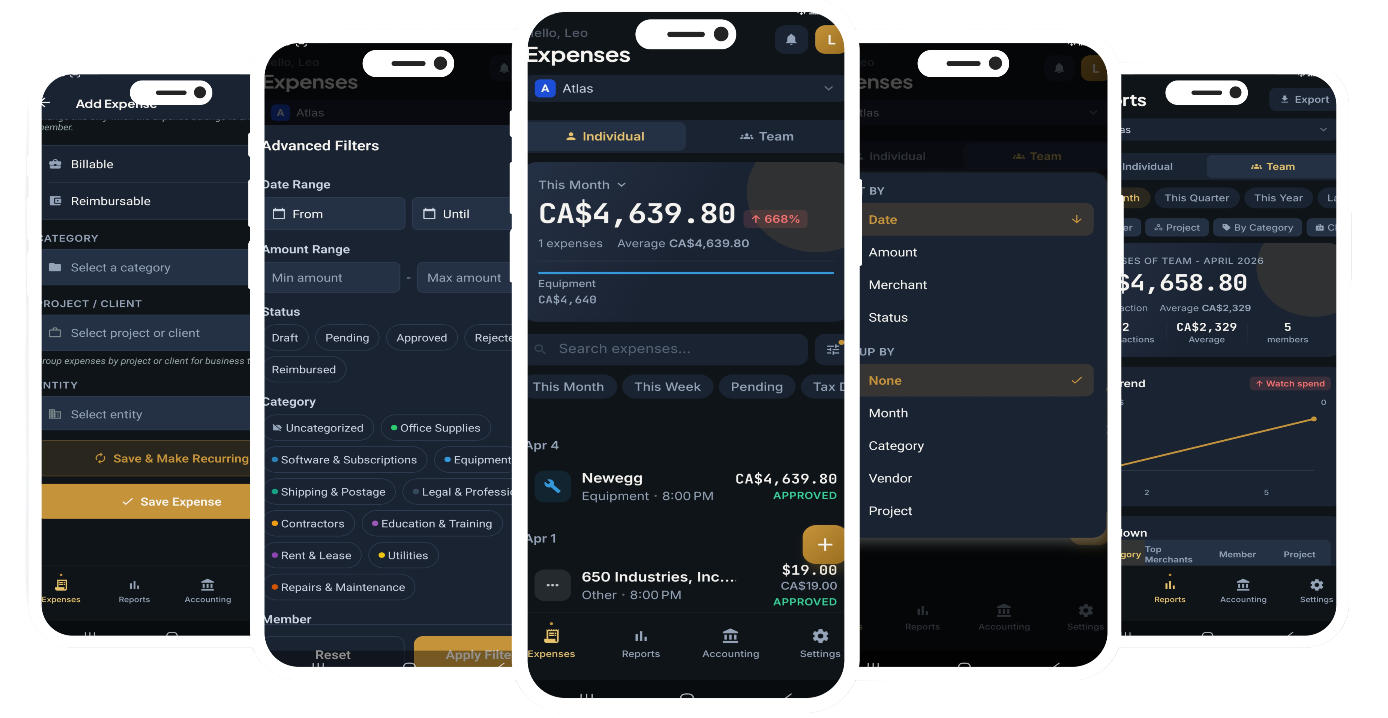
A digital receipt organizer keeps receipts together with the information that makes them useful: merchant, date, amount, category, and tax details. A receipt scanner adds OCR to read those fields from a photo or PDF. Nomad brings both steps into one workflow, with a review stage before you rely on the extracted data.
Upload receipt photos or PDFs, select several files for bulk upload, or forward documents to your workspace’s inbound email address. You choose what to send; Nomad does not need access to your whole inbox.
Check the merchant, purchase date, currency, amount, and taxes beside the original document. Correct unclear text or missing information before turning the result into an expense.
Assign categories and keep the receipt with its expense record. Filter expenses when you need to find a purchase, then use CSV or Excel exports to support your bookkeeping workflow.
Keep business purchases organized as you go. Use a personal or company workspace according to how you work, without needing a large team to get started.
Keep supporting documents close to the numbers. Review categories, dates, and amounts before handing expense data to your bookkeeper or accountant.
Review separate GST, HST, PST, or QST details where they appear on the document. Keep the original receipt available to check the extraction instead of relying on a single combined tax label.
Yes. Capture a receipt with a supported Nomad mobile app or upload a receipt photo from your device. OCR processing and cloud synchronization require an internet connection.
Yes. Forward a receipt or invoice to your workspace’s inbound address. You can also create forwarding rules in your email service for selected senders. Only the messages you send are provided to Nomad.
No. A faded receipt, an unusual layout, or a blurry image can produce incomplete or incorrect fields. Nomad lets you review and correct the extracted details alongside the document.
Yes. Organized receipts, expense categories, reports, and CSV or Excel exports can help you prepare records for your bookkeeping process. Nomad does not determine which expenses are deductible or replace your accountant’s review.
Nomad offers a 14-day free trial with no credit card required, 2 seats, and 50 total OCR scans. Continued use after the trial requires a paid plan. See the pricing page for current plans and billing options.
Try the workflow with your own documents before choosing a plan.
Start your 14-day free trialNo credit card required. Trial includes 2 seats and 50 total OCR scans.